
Hidden Cost of Complexity: Why Your Legacy Software is Bleeding Money

Legacy enterprise software often hides significant costs behind outdated UX. Slow workflows, high training effort, frequent errors, and frustrated employees silently drain productivity and increase churn, making UX a financial issue, not just a design problem.
Every CTO knows the pain of Legacy Enterprise Software. It’s the critical system that runs your Manufacturing floor, powers your core finance engine, or manages your global Logistics & Supply Chain. While it functions, its outdated UI/UX Design & Engineering often leads to chaos: high employee training costs, rampant user errors, slow task completion times, and, critically, high employee churn. The problem isn’t the underlying Custom Software logic; it’s the User Experience (UX).
Your employees, the users of this critical software, are forced to navigate convoluted flows and non-standard interfaces, directly impacting productivity and, ultimately, your bottom line. The solution isn’t always a multi-million-dollar Digital Transformation overhaul. Often, the most profitable starting point is a sharp, surgical intervention: a Design Audit combined with rigorous Usability Testing. This is how you calculate and realise the true ROI of UX in a legacy environment.
The Two-Step Path to Clarity: Auditing for Hidden Losses

A Design Audit combined with Usability Testing replaces assumptions with data. Together, they reveal where UX breaks down, how much it costs, and which fixes deliver the highest ROI.
A combined Design Audit and Usability Testing engagement provides a data-driven diagnosis, replacing guesswork with measurable insights.
1. The Design Audit: Mapping the Chaos
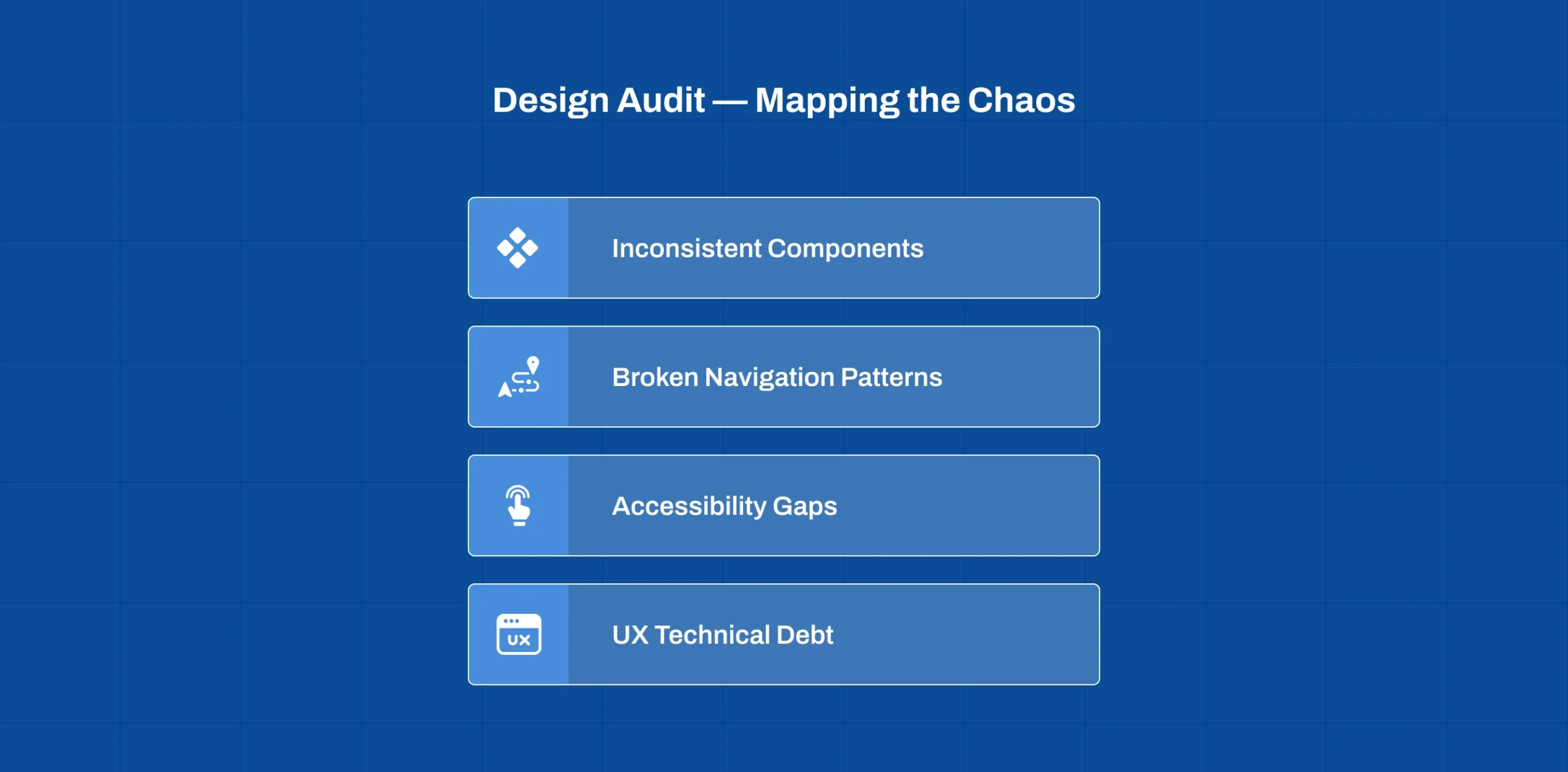
A Design Audit systematically identifies inconsistencies, accessibility gaps, and UX technical debt across legacy systems. It establishes a measurable baseline that guides all future optimisation efforts.
A Design Audit is a comprehensive, expert-led review of your entire software interface. It identifies non-standard components, inconsistent patterns, and compliance gaps against modern UX principles (like Jakob Nielsen’s heuristics and accessibility standards).
- Identifies Inconsistency: Finds instances where a “save” button looks different across five modules or where navigation shifts unexpectedly. Inconsistency increases cognitive load and causes errors.
- Reveals Technical Debt in UX: Pinpoints elements that are visually outdated or difficult to maintain, which is a major factor in slow Maintenance and Support cycles.
- Establishes the Baseline: Provides a quantitative starting score on usability and brand alignment, essential for measuring the success of future optimisation projects.
2. Usability Testing: Quantifying User Pain

Usability Testing measures real employee behaviour, task time, error rates, and satisfaction, directly translating user pain into operational cost and risk metrics executives understand.
The audit tells you what is broken; Usability Testing tells you how much that breakage is costing you. We observe real employees performing critical business tasks within the legacy system.
| Metric Measured | User Pain Point Revealed | Impact on ROI |
|---|---|---|
| Task Completion Time (TCT) | A procurement process that takes 15 steps instead of 5 due to poor flow. | Directly links to lost labor hours and increased operational overhead. |
| Error Rate | Incorrect data entry due to confusing forms or unclear validation messages. | Quantifies the cost of data cleansing, compliance risk, and subsequent business disruption (e.g., incorrect inventory orders). |
| Subjective Satisfaction (SUS Score) | User frustration and low morale, often leading to slow adoption and high training needs. | Connects directly to employee churn and the high cost of constantly training new users on counter-intuitive systems. |
Realising the ROI of UX: Hard-Dollar Savings
For Legacy Enterprise Software, the returns on a design intervention are measurable and often immediate.
Reducing Labor & Training Costs
Even modest UX improvements can unlock major savings. Reducing task completion time by 20% across a 100-person team can save thousands of labor hours annually while reducing onboarding and training costs. A primary source of hidden cost is the time users spend fighting the software.
- Case Example (Internal Tool): For a typical 100-person team using a procurement tool for one hour daily, a 20% improvement in task completion time, achieved by simplifying one flow identified in a Design Audit, can save hundreds of hours annually.100 users × 1 hour per day × 20% time saved × 250 working days = 5,000 hours saved annually
- Training Time: Optimised, intuitive flows require less classroom time for new hires. The design teaches the user, lowering training overhead and speeding up time-to-productivity for new employees.
Minimising Costly User Errors
Poor UX increases the likelihood of costly user errors, especially in regulated environments. Clear validation, better information hierarchy, and safe recovery paths dramatically reduce financial and compliance risk.
In high-stakes environments like FinTech & InsurTech or Healthcare Transformation, a single user error can have catastrophic regulatory or financial consequences.
- Strategy: By applying proven UX principles, we design better validation messages, clearer information hierarchy, and safe recovery paths (e.g., prominent “undo” actions).
- Benefit: Directly reduces the frequency and impact of human error, which is crucial for achieving stric RegTech or Compliance standards in regulated markets like the USA and UK.
Building the Foundation for Future Scalability
A clear UX foundation enables scalability. By extracting reusable patterns into an early design system, organisations accelerate future feature development and prepare legacy platforms for AI and mobile extensions.
You can’t effectively implement new features, such as AI-Powered Automation or a mobile application layer, onto a chaotic UX foundation.
- The Design System Bridge: The audit helps extract and define core UI patterns, providing the initial building blocks for a future Design System. This library of reusable components enables faster, more consistent development whenever a new feature or module is required.
- The E-E-A-T Principle: Modernizing the interface to be clear, professional, and predictable demonstrates Trustworthiness and Expertise to internal users and external partners, strengthening your organisation’s reputation.
Your Next Steps: The Strategy for Enterprise Leaders
You don’t need to commit to a full five-year system rewrite tomorrow. Start with strategic clarity.
- Scope the Pain: Focus the audit on the 2–3 mission-critical workflows that consume the most employee time or lead to the most errors (e.g., order entry, approval flows, core reporting).
- Run the Test: Engage a partner for a focused round of Usability Testing on those specific flows to get quantifiable metrics on TCT and error rates.
- Prioritize by ROI: Use the audit findings and the testing data to create a prioritised roadmap. Address the low-effort, high-impact UX fixes first, the “quick wins” that immediately boost internal morale and drive demonstrable cost savings.
UX optimisation creates a flywheel effect: audits reveal issues, testing quantifies impact, improvements deliver savings, and higher adoption justifies further investment, turning UX into a compounding asset.
Turning chaos to clarity in your legacy software environment is a strategic act of internal investment that delivers both hard-dollar ROI and critical E-E-A-T benefits for your organisation’s future and DigiWagon helps make that transformation practical, measurable, and scalable.