
Compliance Analyst Workflows: What Actually Matters
- A compliance analyst workflow interface is a decision-support surface, not a CRUD screen; the patterns reduce cognitive load on high-consequence calls.
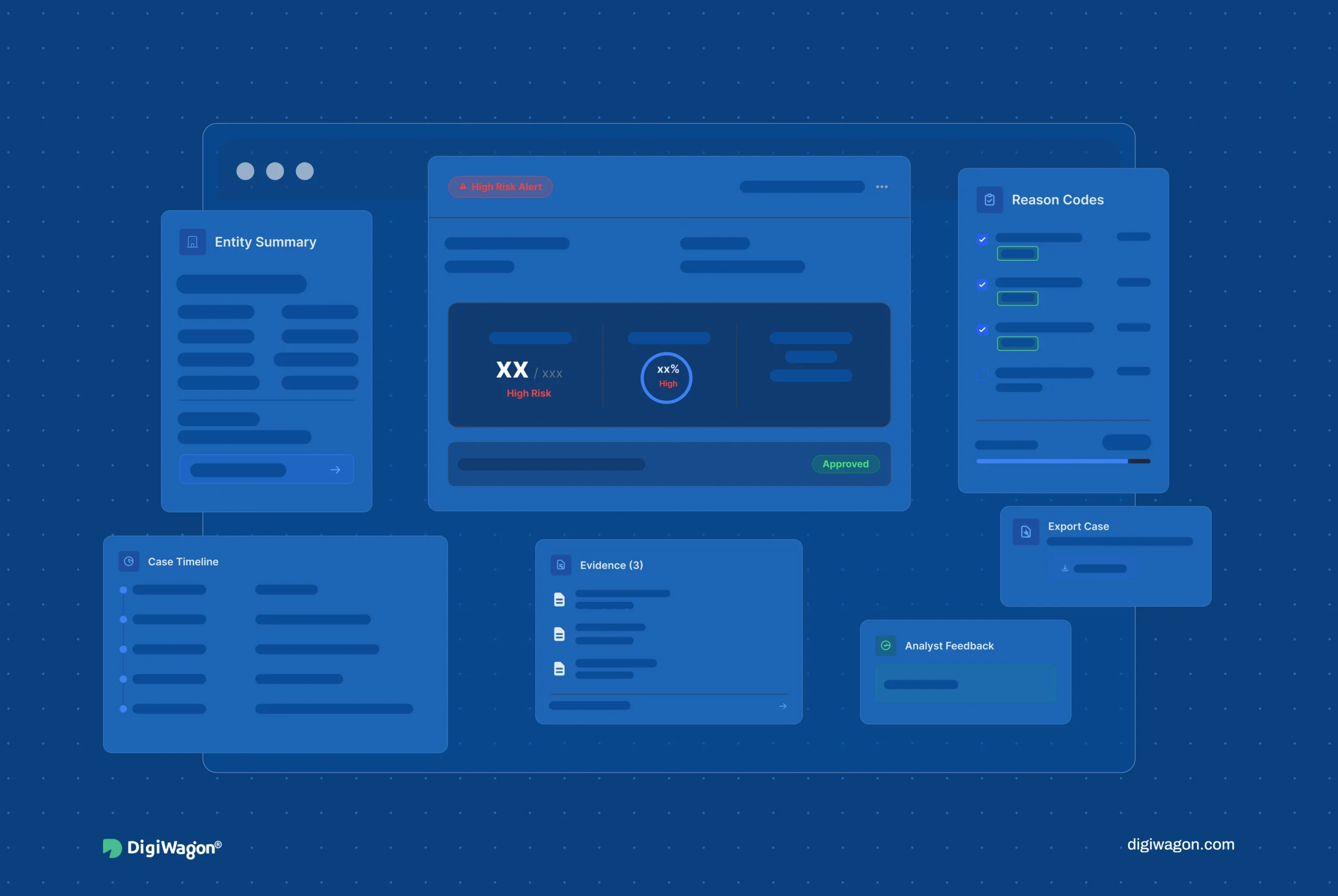
- Surfacing reason codes in the same view as the alert beats a bare approve/reject control, because the analyst needs the rationale where the decision is made.
- Four-eyes approval is a UI architecture, not a database flag; first reviewer and second approver need separate read paths with no shortcut to merge them.
- False-positive feedback belongs in the interface as a first-class component, because the engineering team’s scenario calibration depends on structured analyst input.
- Regulator export has to be analyst-operable, assembling version bundles, lineage, and evidence pointers without an engineer in the loop.
A compliance analyst workflow is the interface layer through which analysts triage alerts, manage cases, feedback false positives, and assemble regulator exports from the detection engines beneath. The UX patterns determine whether analysts make faster, more defensible decisions, or whether the interface adds cognitive load to already high-consequence work.
Why Compliance Analyst UX Is a High-Consequence Design Problem
A compliance analyst closing an AML alert is making a decision with regulatory weight. The interface they work in is not a convenience layer; it shapes the quality and defensibility of that decision.
Nielsen Norman Group’s research on enterprise UX is consistent that cognitive load in complex professional tools directly degrades decision quality and throughput. In compliance, that degradation has a regulatory cost: a fatigued analyst working a cluttered interface misses real cases and rubber-stamps false positives. IEEE work on operator-interface design for high-consequence decisions makes the same point from the safety-systems side, that the interface for a consequential decision must present exactly the context the operator needs, no more and no less, at the moment of the decision.
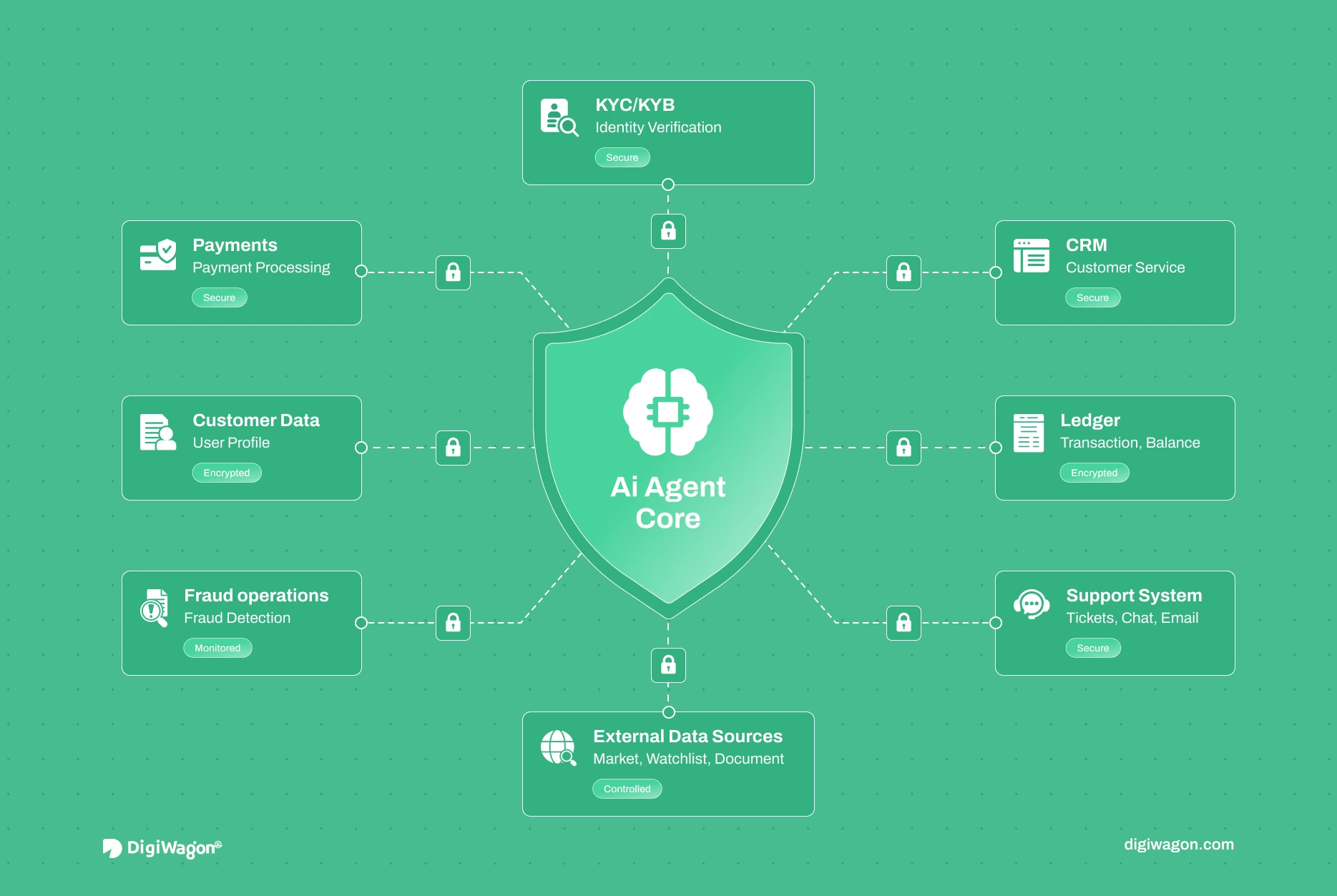
These interfaces sit on top of the detection engines: the AML screening engine architecture and the transaction monitoring architecture raise the alerts; the analyst workflow is where humans act on them. Designing that surface well is a contribution the UI/UX design and engineering practice makes to the broader compliance platform.
What Does an Alert Triage Interface Need to Show?
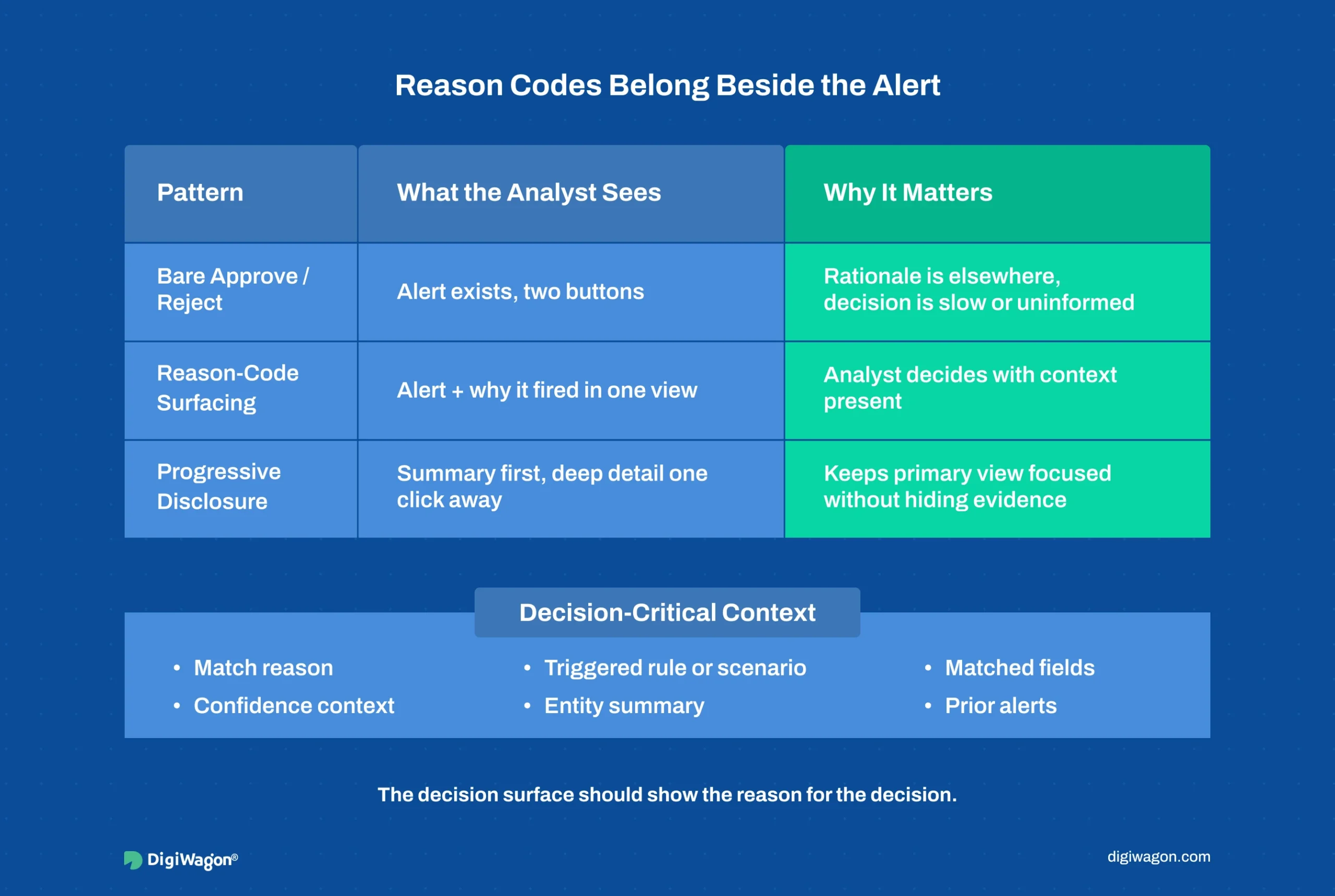
The default alert interface is a queue with an approve/reject control. It is the wrong pattern for compliance, because it separates the decision from its rationale.
When detection requires the analyst to make a defensible call, the interface pattern is reason-code surfacing: the alert and the reasons it fired appear in the same view, with the matched fields, the watchlist or scenario that triggered it, and the confidence context all visible without navigating away. The analyst decides with the rationale in front of them, not after clicking into three sub-screens to reconstruct why the alert exists.
Progressive disclosure is the supporting pattern. The triage view shows the decision-critical context first (the match, the reason codes, the entity summary), with deeper detail (full transaction history, prior alerts, raw source records) one interaction away rather than crowding the primary view. The analyst who needs only the summary is not slowed by the full record; the analyst who needs to dig has it one click down.
How Do You Design for the Four-Eyes Approval Pattern?
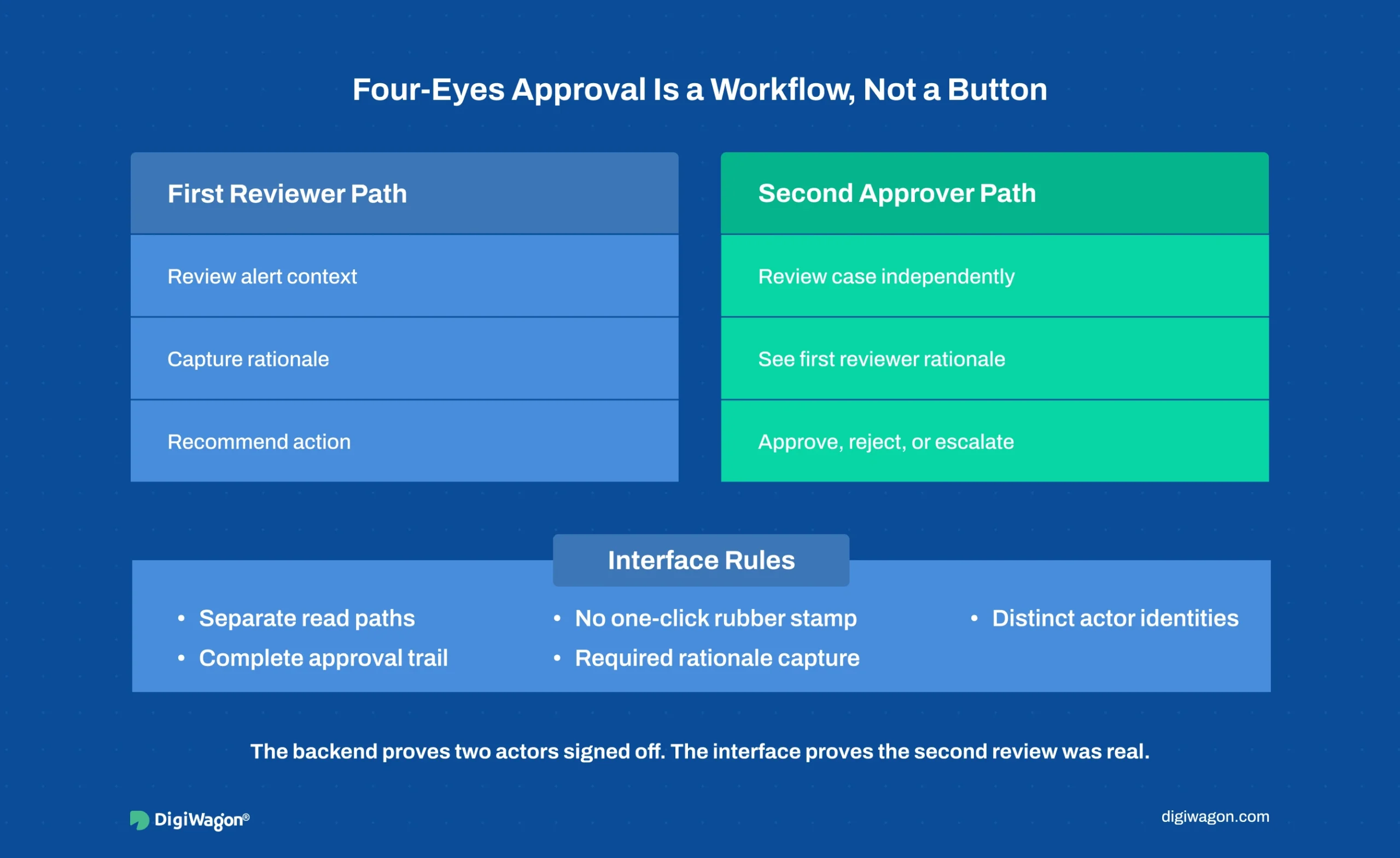
Four-eyes approval (a first reviewer and a separate second approver on material decisions) is often treated as a database flag: a record gets an “approved_by” field, and the UI shows a second button. That implementation invites the shortcut the control exists to prevent.
The pattern that holds is separate read paths for the two roles, designed so the second approver forms an independent judgement rather than rubber-stamping the first. The first reviewer’s interface captures their reasoning. The second approver’s interface presents the case and the first reviewer’s decision in a way that requires active review, with no one-click “agree” that merges the two judgements into a formality. When the firm’s risk policy requires genuine dual review, the interface architecture enforces it by making the second judgement a distinct act, not a confirmation dialog.
The RegTech integration architecture blueprint describes four-eyes approval as a backend access-controlled write path; the UI layer is where that control either becomes a real second judgement or collapses into a formality. The two have to be designed together: the backend enforces that two distinct actors signed off, and the interface ensures the second sign-off was a considered review.
How Do You Turn Analyst Decisions Into Engineering Signal?

False positives are the chronic load on compliance analysts, and the scenario calibration that reduces them depends on knowing which alerts were false and why. When that feedback lives in post-hoc reporting, disconnected from the moment of decision, it arrives too late and too unstructured for the engineering team to act on.
The pattern is to make false-positive feedback a first-class component of the triage interface itself. When an analyst closes an alert as a false positive, the interface captures the structured reason in the same action: which attribute drove the bad match, whether it was a threshold issue or a data-quality issue, whether the pattern recurs. That structured signal flows back to the scenario calibration tooling the engineering team uses, closing the loop between analyst judgement and detection tuning.
This is where the UI layer feeds engineering directly. Wolfsberg Group guidance ties screening effectiveness to data quality and scenario design; the analyst is the human sensor for both, and the interface is what turns their judgement into structured input the detection layer can consume. A feedback loop designed as a reporting afterthought yields anecdotes; one designed as a first-class UI component yields calibration data.
DigiWagon’s Role in Compliance Workflow Design
DigiWagon designs and builds the analyst-facing layer of compliance platforms: alert triage interfaces, case management flows, false-positive feedback loops, and regulator-ready export. The work draws on the RegTech software development practice and the design depth of a dedicated RegTech software development team working across detection and interface layers together.
- Alert triage UI with reason-code surfacing and progressive disclosure
- Case management designed around genuine four-eyes separation
- False-positive feedback loops feeding scenario calibration
- Analyst-operable regulator export with version bundles and lineage
Designing Interfaces Analysts and Regulators Both Trust
A compliance analyst workflow is judged by whether analysts decide faster and more defensibly, and whether the interface turns their judgement into both an audit trail and engineering signal. The patterns that deliver it are reason-code surfacing so decisions are made with rationale present, genuine four-eyes separation so dual review is real, false-positive feedback as a first-class component so calibration improves, and analyst-operable export so exam packs do not need an engineer. Each is a design decision made with the detection engineering, not bolted on after, because an interface retrofitted onto a finished backend inherits the backend’s assumptions about who does what. Interfaces designed to the pattern make the analyst faster and the decision defensible, which is what the regulator and the analyst both need.
Designing a Compliance Analyst Workflow?
Our design and engineering teams work through triage UX, case flows, and regulator export with your compliance analysts in the room.